
How to Use Indago's Co-Pilot to Search Smarter and Draft Faster
What Co-Pilot Is and What It Isn't
Co-Pilot is a workflow assistant built directly into Indago's intelligence reporting platform. Its purpose is specific: to help analysts move through the Indago workflow more efficiently — suggesting search parameters, helping structure report templates, and evaluating draft content for sourcing strength and analytical clarity. It operates with awareness of what's already in the workspace, which means its suggestions are grounded in the collection, the template context, and the stage of the report being built. Its suggestions reflect the actual materials and objectives present in a given session.
Understanding what Co-Pilot is not is just as important as understanding what it does. Co-Pilot is not a general-purpose AI chatbot. It cannot browse the internet, retrieve external information, or answer arbitrary questions outside the Indago environment. Asking it to summarize a news event, look up background on a threat actor, or explain a concept from scratch will not produce reliable results — that's not what it was built to do. Its value is entirely tied to the Indago workflow: the collections analysts have curated, the templates they are building or refining, and the draft content they are developing within the platform. This is by design so that the suggestions it gives are as accurate as possible.
Three Ways to Use Co-Pilot
Co-Pilot's usefulness spans the full reporting workflow, from the earliest stages of source discovery through to final draft refinement. The three areas where it delivers the most practical value are searching, drafting, and editing.
Searching with Co-Pilot
The first place Co-Pilot saves meaningful time is at the collection stage, before a single source has been added to a workspace. Indago's built-in search draws from a curated database of over 140,000 indexed sources across 27 languages, but the quality of what comes back depends heavily on how a search is constructed. Rather than manually working out which terms to use as keywords versus activators, an analyst can simply describe what they're looking for in plain language and let Co-Pilot translate that into a structured query ready to run.
The translation is direct and visible. If an analyst types something like "I need sources on Chinese rare earth export controls and their impact on U.S. defense supply chains", Co-Pilot will interpret that intent and return a suggested search structure. The result might look like this: keywords — rare earth elements, export controls, China — requiring all three terms to appear in any returned result; and activators — supply chain, defense industry, critical minerals, U.S. manufacturing — expanding the results to include any source touching on at least one of those themes alongside the keywords. That kind of structured output takes the guesswork out of boolean logic and keeps the search anchored to what the analyst actually needs rather than drifting toward loosely related content.
The most important habit to build when using Co-Pilot for search is reviewing the suggested parameters before executing. Co-Pilot proposes — the analyst decides. Analysts retain full control over which keywords and activators make it into the final query, and refining Co-Pilot's suggestions before hitting run is where analytical judgment comes in. A keyword that seems relevant may be too narrow for a fast-moving story; an activator might be too broad for a tightly scoped collection.
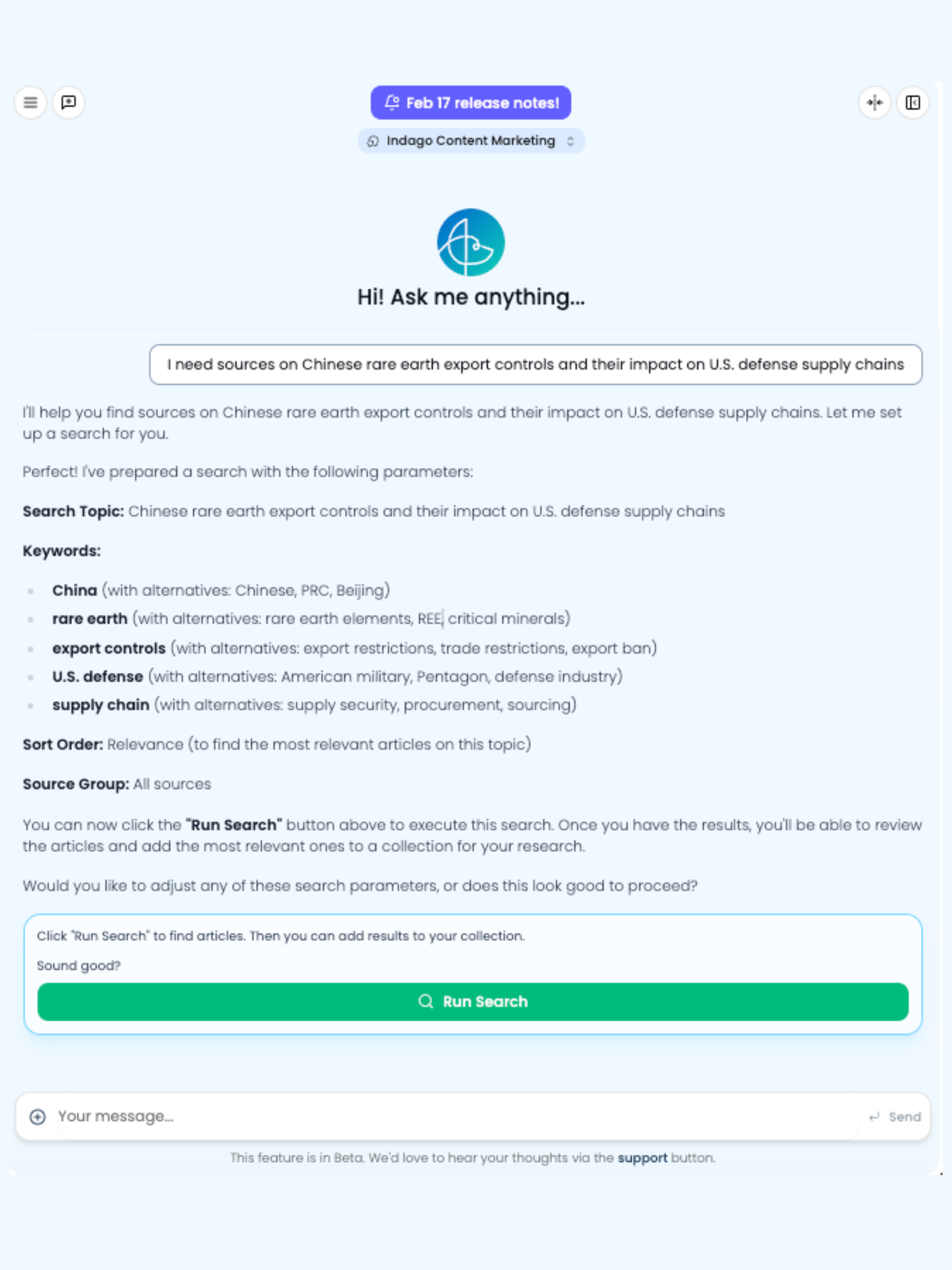
Example: Co-Pilot’s Search Capabilities
Indago’s Co-Pilot can help users plan, refine, and create their search seamlessly.
Drafting with Co-Pilot
When it's time to move from a built collection into a report structure, Co-Pilot can help define what that structure should look like before a single word is generated. Rather than navigating the template library manually or starting from a blank outline, an analyst can open the Co-Pilot panel and describe the report in plain language — the purpose, the intended audience, the level of technical detail required. Co-Pilot will respond by proposing a template structure: a title, a purpose statement, a persona setting, and a section-by-section outline. This gives analysts a concrete starting point without requiring them to design the report architecture from scratch.
The distinction between using Co-Pilot to suggest a template and simply loading an existing one matters in practice. Loading a saved template applies a pre-built structure that was designed for a recurring report type, which is useful when the workflow is already established and consistency is the goal. Co-Pilot's template suggestion is more responsive: it takes into account what's actually in the collection at that moment and shapes its proposal accordingly. If the collection contains field reports and sensor data from a natural disaster, Co-Pilot's suggested outline will reflect that context — not a generic intelligence brief structure. The proposal is a starting point; analysts can accept it, modify sections, reorder the outline, or continue the conversation with Co-Pilot to refine specific elements before generation begins.
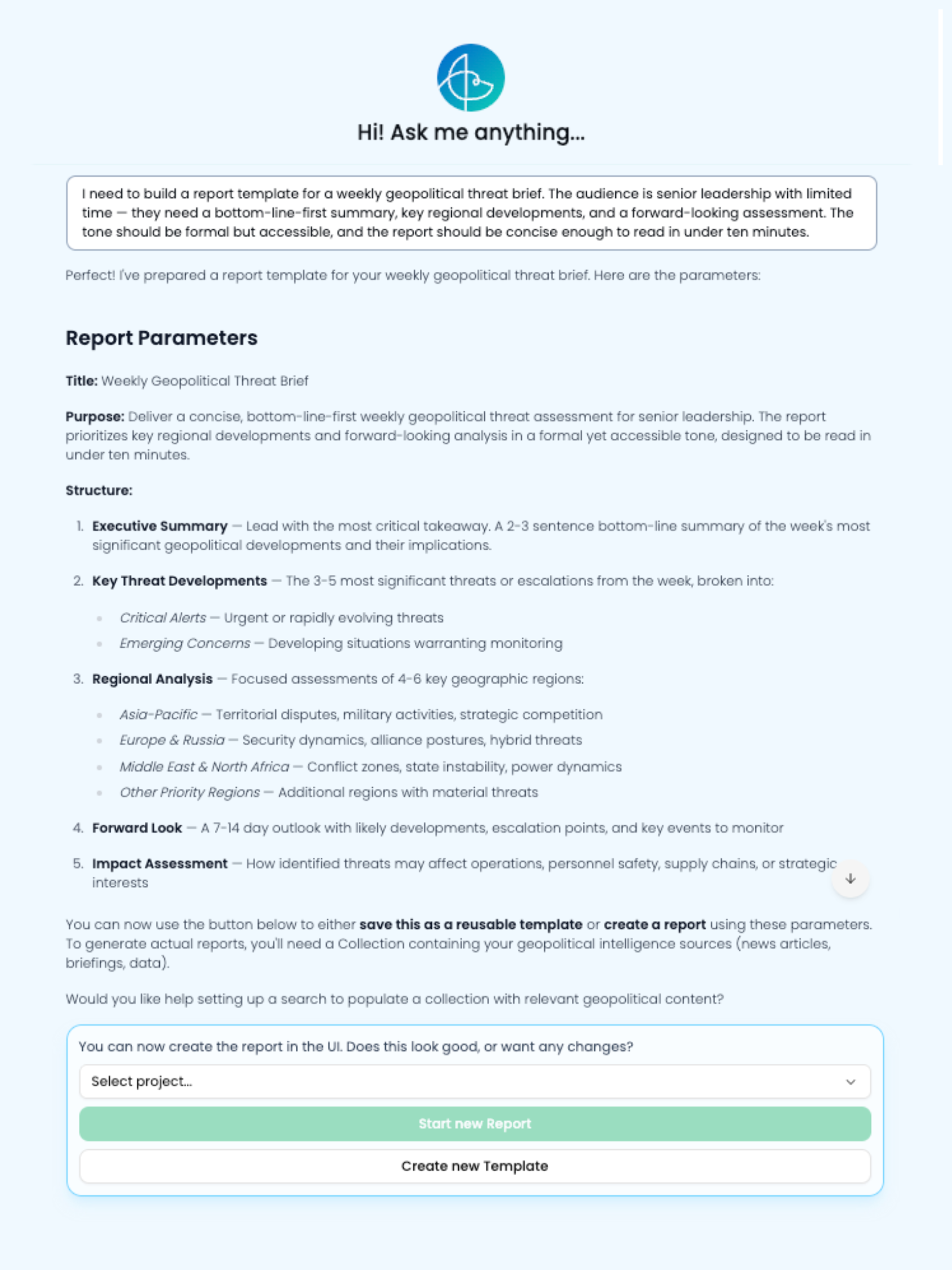
Example: Co-Pilot’s Report Creation Abilities
Indago’s Co-Pilot removes mental blocks by helping users work through the report planning process.
Editing with Co-Pilot
Once a first draft has been generated, Co-Pilot shifts into an editorial role, which is often the most useful stage for experienced users. Rather than reviewing the entire report in one pass, the approach is to copy a specific section directly into the Co-Pilot panel and ask it to evaluate the strength of the writing. Co-Pilot will assess whether the section is well-supported by the sources in the collection, flag language that may be overconfident or unsupported, and identify structural weaknesses that could undermine the report's defensibility. This is a substantive review of whether the analysis holds up against the evidence in the collection.
The feedback Co-Pilot returns is specific and actionable. For example, if a threat assessment section contains a line like "This actor will almost certainly expand operations into Western Europe within the next six months," Co-Pilot might flag this as overconfident language with insufficient sourcing to support the certainty implied. It would suggest a revision along the lines of: "Available reporting indicates the actor has shown interest in Western European targets, though the evidence base does not yet support a high-confidence projection on timing or scope."
Co-Pilot also supports a more deliberate approach to model selection during editing. After receiving Co-Pilot's assessment of a weak section, an analyst can use Indago's section-level regeneration to run the same section through a different language model with the revised instructions incorporated — in effect, making the models compete for the best output on that specific paragraph. Paste, assess, revise, compare: that loop is what moves a first draft to a finished product.
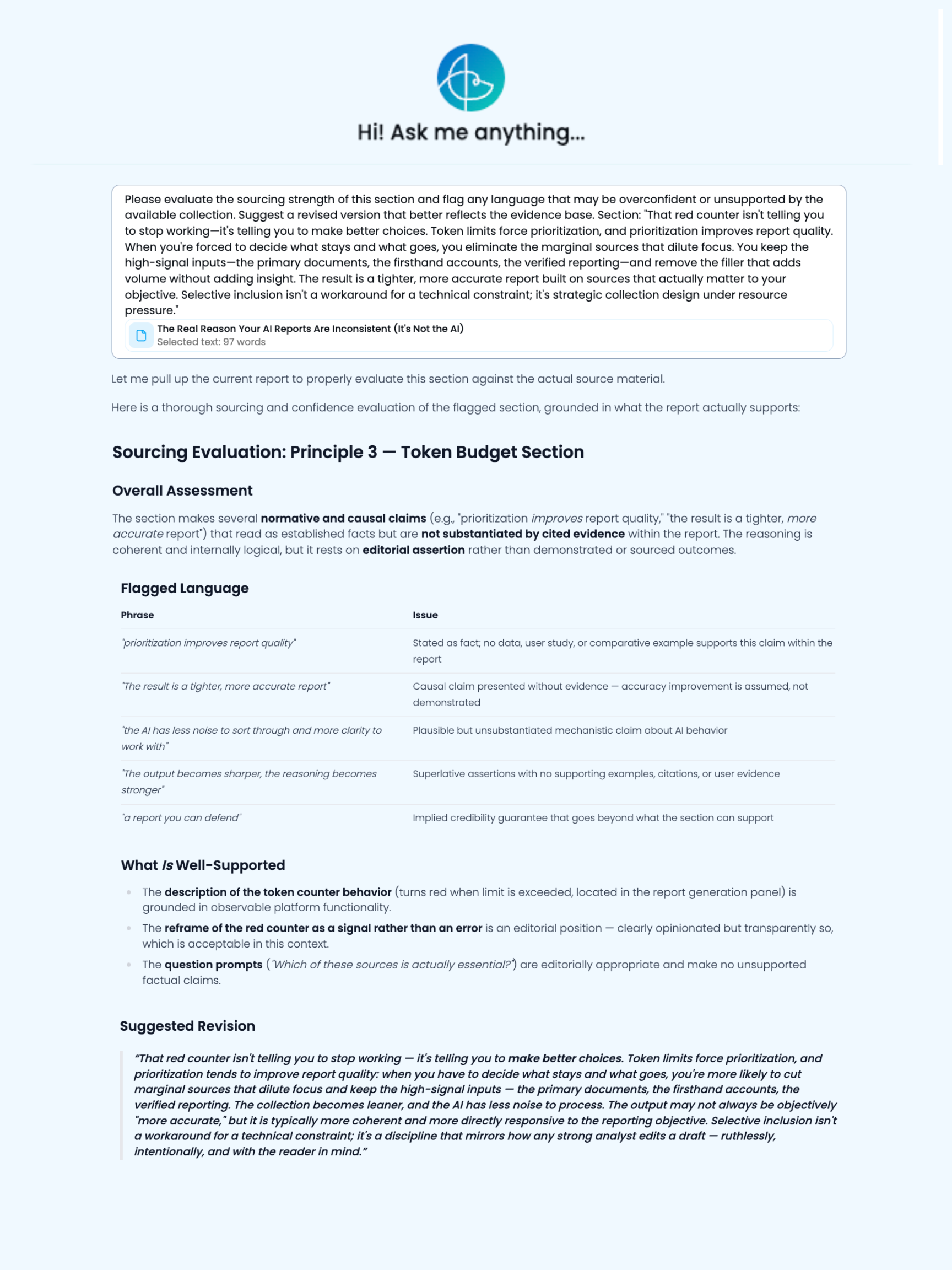
Example: Co-Pilot’s Editing Assistance
Indago’s Co-Pilot makes it simple to edit reports by assessing the content, flagging areas of improvement and suggesting optimal replacement copy that’s still grounded in the sources you’ve used.
Staying in Control
Co-Pilot performs best when given a clear, specific direction; the more precisely the task is framed, the more useful the output. Every search query, template suggestion, and editorial note Co-Pilot produces reflects what's already in the workspace, which means the analyst's collection and framing decisions remain the foundation everything else builds on. To see Co-Pilot in action within a real reporting workflow, book a demo with the Indago team.